What is ComIO.Studio?
A professional serial terminal with built-in AI — for engineers who talk to hardware.
 On This Page
- Overview — What ComIO.Studio Does
- Who Is It For?
- What Makes ComIO.Studio Different?
- Features In Detail
User Guide & Help → — step-by-step instructions for all features
1. Overview — What ComIO.Studio Does
ComIO.Studio is a cross-platform desktop application that serves as an all-in-one workstation for anyone who communicates with hardware over serial ports (UART, RS-232, USB-to-serial).
In one application, you get:
- Serial Terminal — connect to any serial device, send/receive data in text or hex, monitor control lines (RTS, DTR, CTS, DSR, DCD, RI)
- Data Buffer & Logging — searchable scrollback with timestamps, ASCII/HEX modes, export to file
- MCU Programmer — flash firmware to ESP8266, ESP32, STM32, and AVR chips directly through the serial port (UART) — no external programmers needed
- Macros (M1–M6) — one-click command shortcuts for frequently used commands
- Triggers — automatic responses when specific text patterns are detected in incoming data
- Lua Scripting — full automation engine with serial port API access
- AI Assistant — ask questions about your serial data, get protocol decoding, generate code, troubleshoot connections
💡 Key Principle: The serial terminal and all core features are free. The AI assistant is an optional paid add-on available through affordable subscription plans ($3–$100/month depending on usage).
ComIO.Studio runs natively on Linux, Windows, and macOS. Small binary size (~30 MB), instant startup, and direct hardware access — no bloat.
2. Who Is It For?

Embedded Engineers
Debug UART, flash MCUs, analyze protocols — daily workflow in one tool.

Students & Educators
Learn serial communication with AI explanations. No command-line knowledge needed.

Makers & Hobbyists
Arduino, ESP32, Raspberry Pi — connect, send commands, flash firmware, script automation.

Industrial / QA Teams
Automated test sequences with Lua, trigger-based logging, batch MCU programming.
3. What Makes ComIO.Studio Different?
Traditional serial terminals are just terminals — they let you send and receive text, and that's it. ComIO.Studio goes far beyond that:

AI That Reads Your Data
Ask the AI to explain Modbus frames, decode unknown protocols, or troubleshoot connections.

Built-in Firmware Flasher
Flash ESP8266, ESP32, STM32 and AVR chips directly through the serial port.

Lua Scripting Engine
Automate test sequences, parse data, create custom protocols with a full scripting API.

Triggers & Macros
Automatic pattern-matched responses and one-click command shortcuts.

Modern UI
Dark theme, resizable panels, real-time statistics, designed for productivity.

Cross-Platform
The same application on Linux, Windows, and macOS.
4. Features In Detail
 Serial Communication
Connect to any serial port with full configuration:
- Baud rate: wide range of presets from 300 to 4,000,000
- Data bits: 5, 6, 7, 8
- Parity: None, Odd, Even
- Stop bits: 1, 2
- Flow control: None, RTS/CTS (hardware), XON/XOFF (software)
- Control lines: Toggle RTS and DTR manually; read-only indicators for DSR, CTS, DCD, RI
USB hotplug detection — ports appear/disappear automatically when you plug/unplug USB devices. No need to refresh.
 Data Buffer & Logging
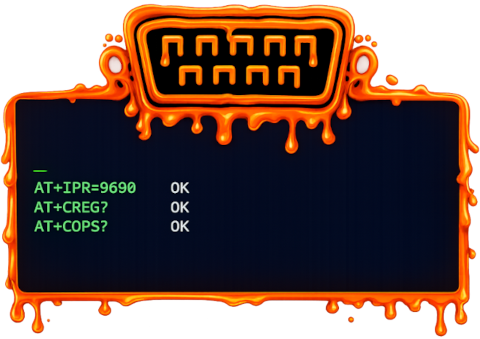
- Configurable buffer size (5–20 MB of scrollback)
- ASCII, HEX, and combined ASCII+HEX display modes (switch on the fly)
- Toggleable timestamps for RX and TX separately
- ANSI color code support and VT100 terminal emulation
- Full-text search with match navigation
- Save terminal contents to file
- Separate logging module with Text/Hex/Mixed format and downloadable log files
- RX/TX byte counters, connection uptime, reconnection tracking
MCU Programmer
Flash firmware directly from ComIO.Studio to your microcontroller through the serial port (UART bootloader) — no external hardware programmers (JTAG/SWD) are needed, just a USB-to-serial connection:
- ESP8266 / ESP32 — built-in serial flasher, auto-detect chip, configure flash size/mode/speed
- STM32 — UART bootloader flashing
- AVR — serial bootloader (STK500) flashing
Multi-segment flashing, progress indicator, chip detection, configurable flash parameters.
 Macros (M1–M6)
Six quick-access macro buttons, each configurable with:
- Custom label and command text
- Line ending: CR, LF, CRLF, or None
- Text or HEX format
- One click = instant send
Triggers
Automatic rules that watch incoming data and respond:
- Pattern: text pattern to match in received data
- Response: automatically send a configured reply (text or hex, with chosen line ending)
- Enable/disable individual triggers or all triggers at once
- Example: When device sends
Password:, automatically respond withmypassword\r\n
Lua Scripting Engine
Full Lua 5.4 scripting environment with serial port API. Automate anything:
- Send/receive data programmatically
- Parse complex protocols
- Create automated test sequences
- Build custom tools and converters
AI Assistant
Built-in chat with an AI that has context about your serial connection:
- Sees your port configuration (baud, parity, etc.)
- Sees recent terminal output (what your device is sending)
- Can analyze protocols, decode hex, generate Lua scripts, troubleshoot connections
Need help using ComIO.Studio? Check out the User Guide & Help for step-by-step instructions on connecting, macros, triggers, Lua scripting, firmware flashing, and the AI assistant.
Ready to try it?
View pricing plans →
|
User Guide & Help →
|
Back to home →